Not an illustration.
The actual app.
Editorial mockups are nice; real screen captures from a running session are nicer. Four views, two themes, cropped tight to the part that matters. Click any one to open the full-resolution PNG in a new tab.
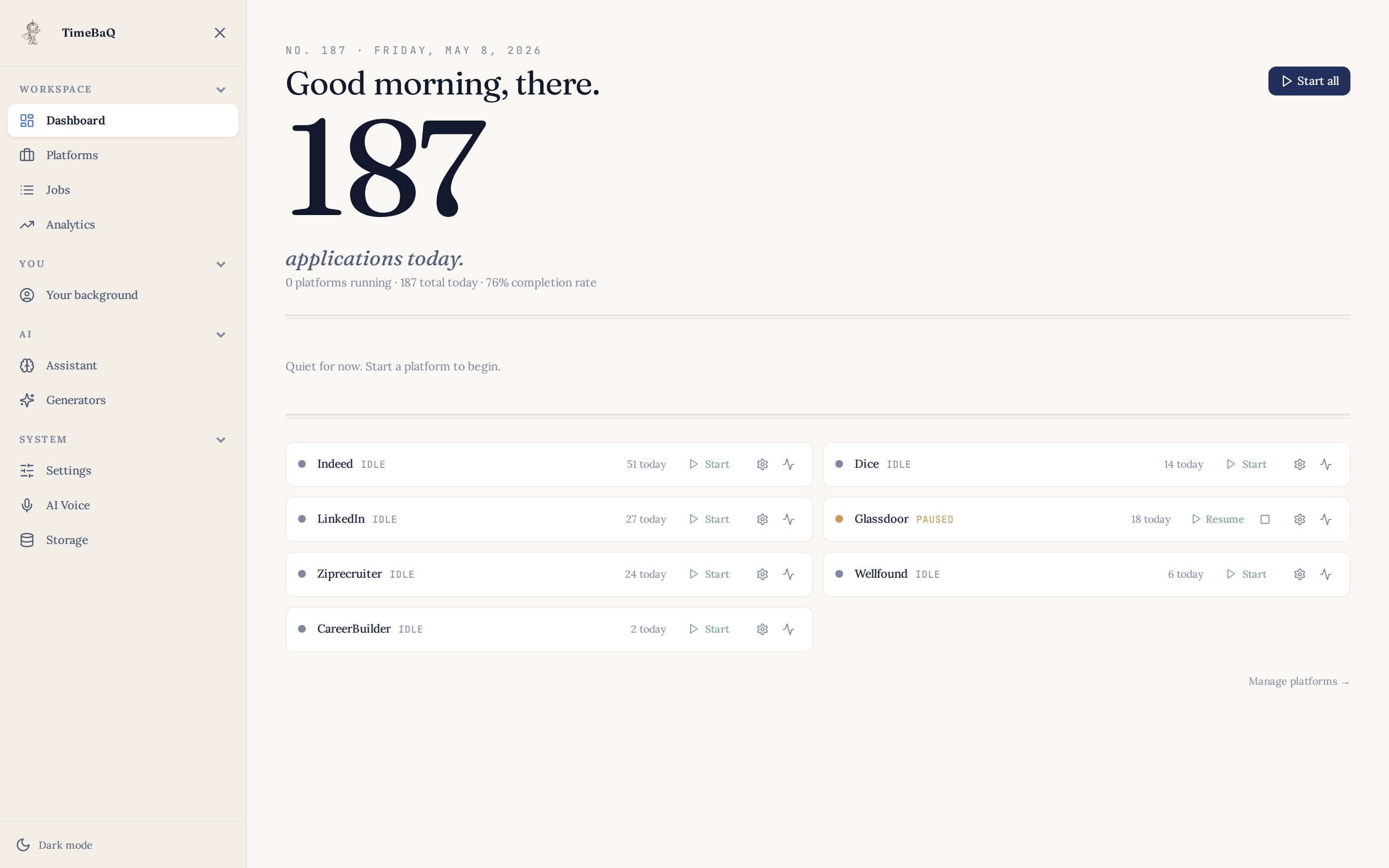
Dashboard.
The application queue, with today’s count, the row that’s writing right now, and the pause / resume control. Sent / Writing / Queued the only three states; everything else is one click away.
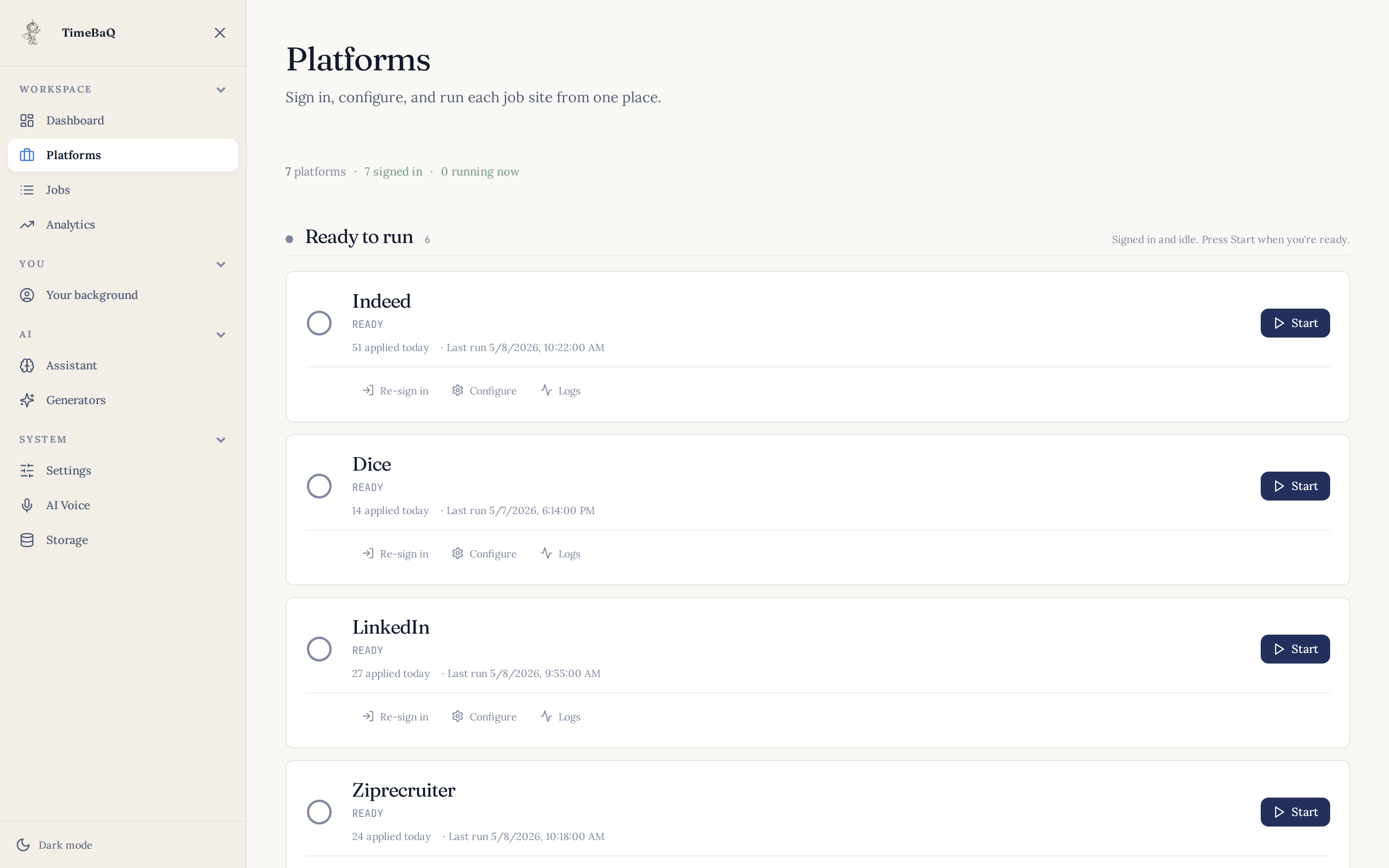
Platforms.
Seven sites, sign-in state per platform, per-site daily cap, today’s count next to each. The router lives behind this screen — Patchright the default, fallbacks per site.
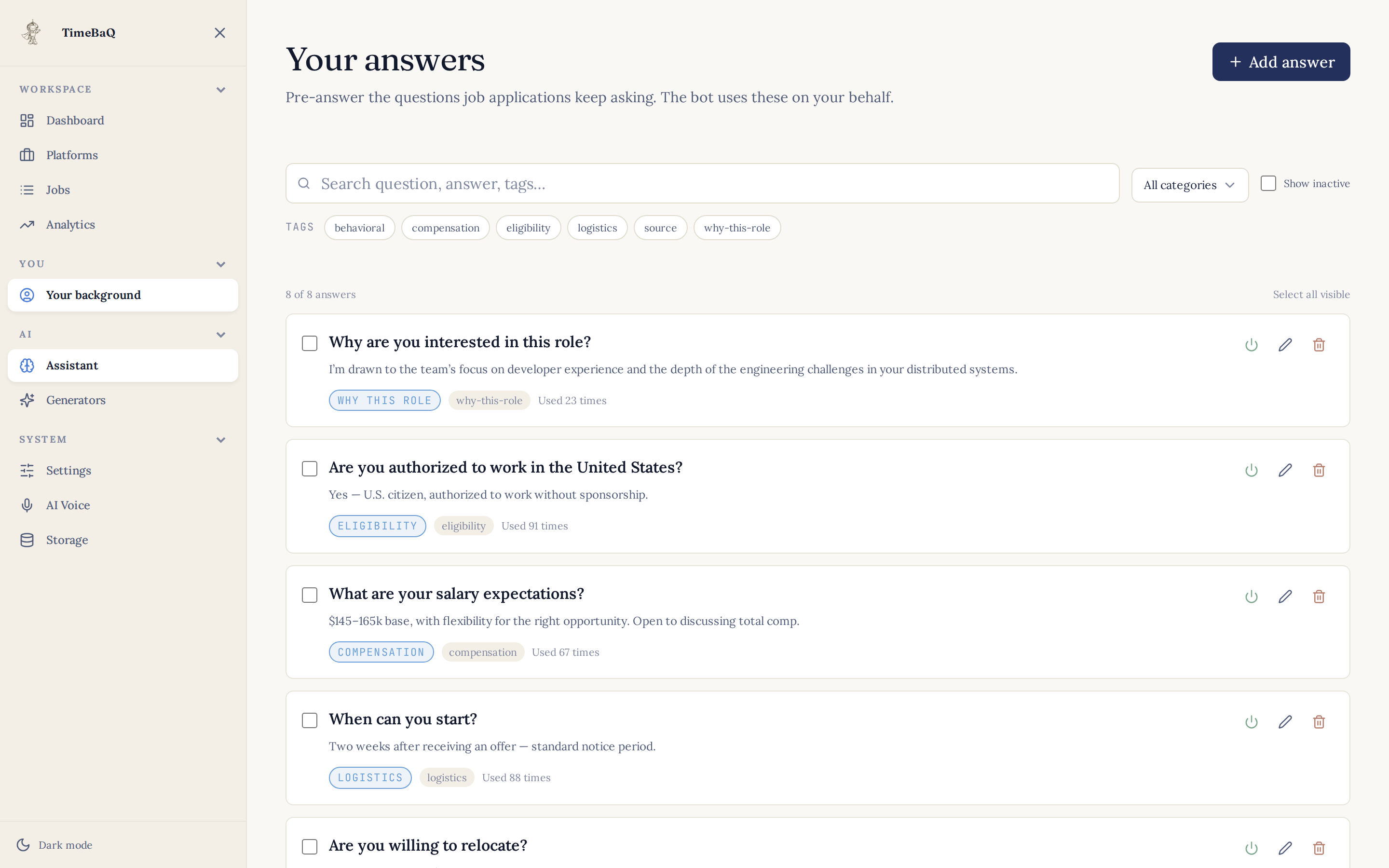
Q&A library.
Saved screening answers, grouped by category. Used 47 times on the most-asked question; AI fallback handles anything new and adds it to the library.
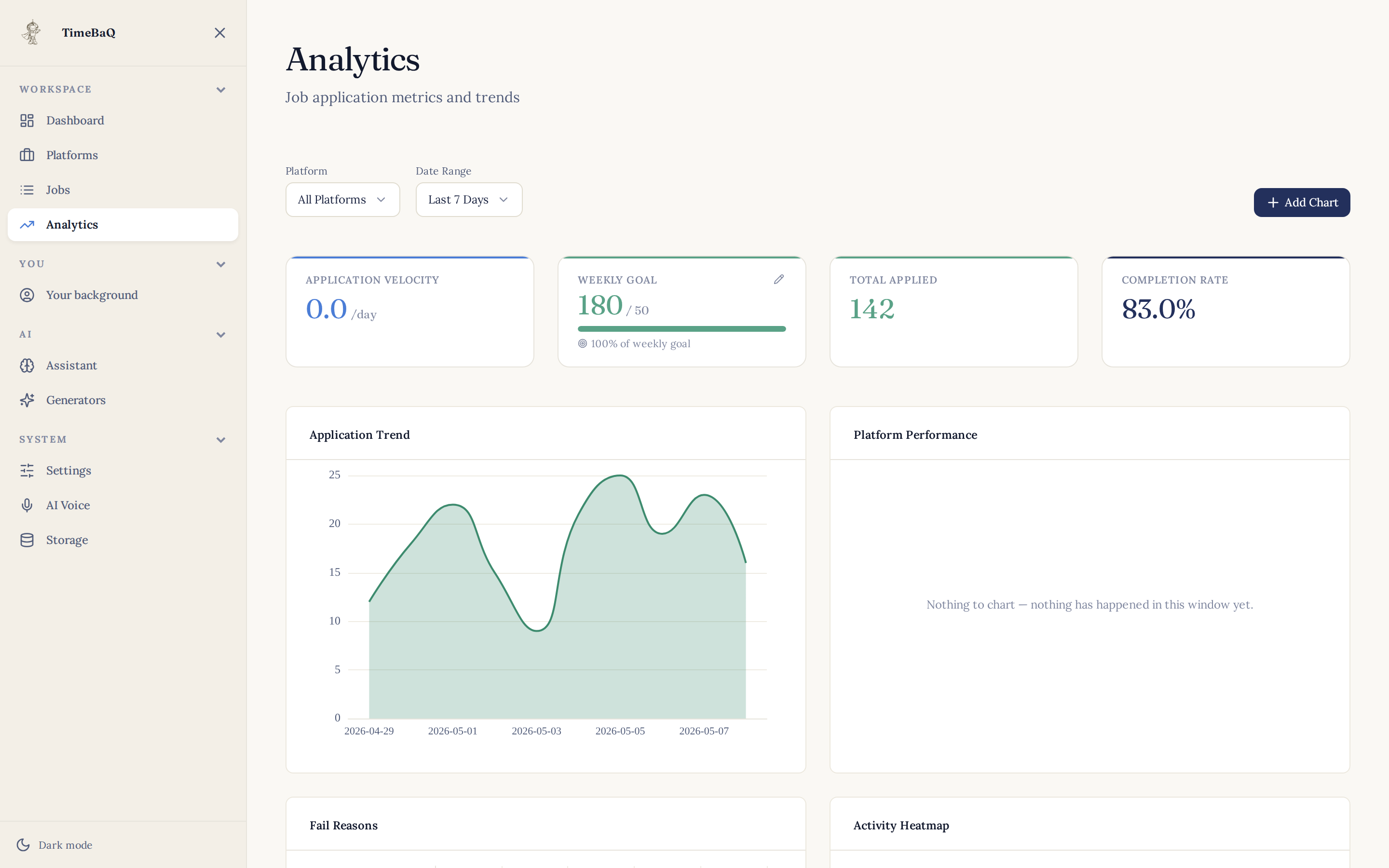
Analytics.
Counts by platform, role, and company. Hourly application heatmap. Success-rate timeseries. The same data the job sites keep about you — on your machine instead of theirs.
Light or dark, the app follows your system theme. Toggle the masthead and the screenshots above swap with it.
Seen enough?
The first 25 apps a month are free.
Pre-launch — join the list to be first in line at release. Founder pricing reserved for the first 100 customers per tier.